Author Archives: Owen

Estate Sale Finds: 100 Year Old Records!

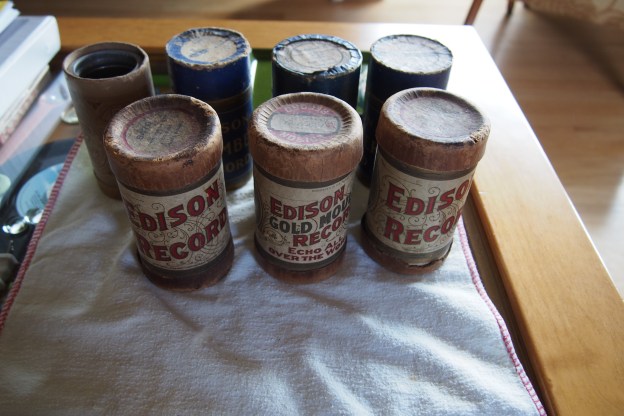
Today I went to an estate sale nearby. The  house was kind of run down, but they did have quite a few records. After looking through a bunch of records, I ran across a shoe box with seven Edison Record Tubes in it for $8. It was a good deal because usually the cylinders are $16 each. I bought it, and cleaned the records and boxes with a paintbrush just to get the dust off. I don’t have an Edison phonograph, (and probably never will) but I’m thinking about trying to make my own.

My favorite cylinders are the blue amberol records, which are blue (as the name suggests) and they hold 4 minutes of audio instead of the regular 2 minutes. One I have also runs at an impressive 160 RPM.

Motor + PA Amplifier= Speaker?

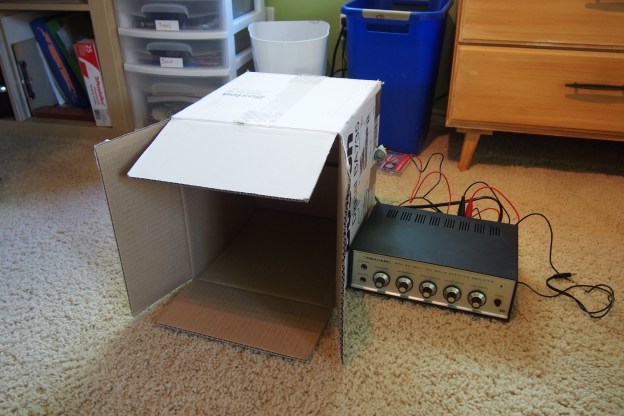
I just did a quick experiment where I attached a DC motor to a cardboard box and then hooked the motor to a PA amplifier. Just turn the volume way up, and see what happens!

Here’s what I used:

  •  A DC motor (very common)
  •  A cardboard box (also very common)
  • A PA amplifier with a 4Ω speaker output*

Simply hook the 4Ω and common outputs on your PA amplifier to the inputs on the motor. Poke holes in the box and put a zip-tie through them. Use this to hold the motor to the box. That’s it! Just turn the volume way up and hook up some kind of audio playback device.

To see this in action, I made a video

*To substitute for a 4Ω speaker output, put a 4Ω resistor in line with the motor.

Atari 2600!!!

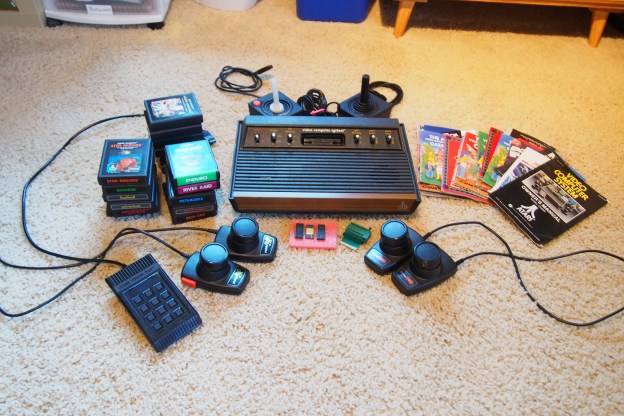
For my birthday, I asked my grandparents if I could have my dad’s old Atari 2600 video computer system. So they sent it to me, and a week later it showed up in the mail. Right when I opened the box (there were actually two boxes) I was surprised and thrilled by how much stuff there actually was. There were games, catalogs & instructions, two joysticks, 2 paddles, 2 driving paddles, a “Video Touch Pad”, and the Atari itself, which also happens to be the rarer 6-switch model.

Some people might see the computer chips in the picture and the socket they fit in. Those are actually games. Well, one is. I could not get anything from two of the chips and I noticed that one of the ones that did nothing looks a lot like an old CPU. The one working chip has casino on it, which is funny because I happen to have an empty cartridge that says casino on it. I think I know where that chip came from. The socket just plugs into the cartridge slot.

P.S. If my grandparents are reading this, thank you so much for the Atari!

Tape Stuff!

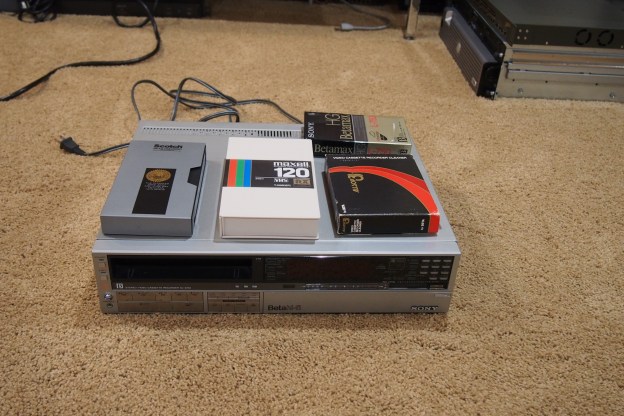
We recently went though all of my grandparent’s VHS & Betamax tapes, and you guessed it, I took some. Most of the tapes have nothing important on them, but the good ones I’ll convert to digital (and save the original tape of course). Anyway, I got one blank and brand new master production quality VHS tape that was sealed, but I opened it because I couldn’t resist holding a brand new master tape VHS tape. I still feel bad about it though. Speaking of new tapes, I got a new Betamax tape that is still in it’s original packaging. I also got two cleaning tapes, one for VHS and one for Beta. And yes, I also got a Betamax player, but it still technically belongs to my grandparents. It will just live at my house, which means I can use it whenever.


Refurbishing a Texas Instruments TI-5040 Calculator

Recently at a thrift store I found this Texas Instruments TI-5040 electronic calculator. It was really dirty, but it worked fine so in this post I’m just going to talk about how I removed the marks and blemishes. The puzzling thing about this calculator is that it has the old (not original) Tektronix logo on it, but It’s clearly a Texas Instruments calculator. I originally thought it was a promotional gift, but it was built too nicely for being given away for free. My only guess is it was given to accountants who worked at Tektronix.

Anyway, I started by removing the screws on the bottom of the case. Then I removed all the keys so I could soak them in soapy water. I did not remove the electronics from the bottom for cleaning because I was worried about not being able to get the thermal print head back into place. I decided to clean the bottom half when it was all put back together. I started by moistening a paper towel and then putting a generous amount of baking soda on it. Since baking soda is a mild abrasive, when rubbed into the plastic it will remove a very small layer of the plastic, including the stains on it. It works wonders on tough stains. For everything else, I used rubbing alcohol. After I removed the stains I washed the case with soap and a toothbrush while the keys were soaking. Then I left everything to dry. Meanwhile, I vacuumed out the electronics, including the spot where the keys were. And lastly I removed the keys from their soapy bath and rinsed and dried them. Then I left them to air dry the rest of the way.

The next day, the top part of the case and the keys were dry, so I proceeded to reattach the keys and screw the case back together. Once it was put back together, I used baking soda to remove the stains on the bottom half of the case. Then I used rubbing alcohol to remove all the gunk the old cork feet left behind. Lastly I used baking soda on the cord, because it was covered in black stains. Then it was done! I reinserted the paper roll and enjoyed using my super cool retro calculator.

P.S. Sorry that I took so few pictures. I was feeling lazy.

Estate Sale Treasures: Pioneer CT-F2121 Cassette Deck

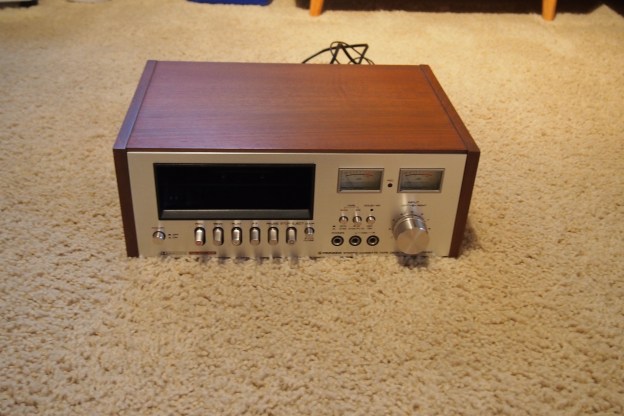
Just to answer everyone “Burning Questions”, yes I do want a cassette deck. Anyway, when I was looking though pictures from estate sales with boring and ugly chairs and vases, I spotted a picture of something I believed to be a cassette deck. When I went to check what it was, I was happy to see it was a cassette deck. And a beautiful one too. Even though it has a weird cassette mechanism, it met all my criteria. It has the silver 70’s look with woodgrain I love, it has two nice analog decibel meters, and it’s Pioneer. To top it all off it was only $12.

So I’m sure you know now that I bought it and sure enough, I did. When I hooked it up to my stereo, I noticed it had a large “discharge sound” that kind of sounded like a slowed down pop. It would play cassettes, but it sounded awful and scared my dog. So I went to check the insides for my first guess, which was bad capacitors. Sadly, that was not the case. Since I had no clue what might be going on, I just turned it off. Later I turned it back on for fun, and realized that the pops mysteriously disappeared. Have you ever seen things fix themselves? I have at least several times. It hasn’t given me any trouble since. I still need to replace the belts, but it was only $12 so I’m very happy with it.

I copied in the instruction manual, if anyone wants to see it: Instructions

The tape drive finally works!

I’m sure many of you remember my post called “The Tape Library Salvage Score!” (if you don’t, just scroll down the home page and you’ll see it). Anyway, In that post I talked about how I got 2 LTO Ultrium tape drives, a LTO 3 drive and a LTO 4 drive. The LTO 3 drive was broken and had the orange cleaning tape shown above stuck in it. I have taken apart and salvaged the LTO 3 drive, but I still have the working LTO 4 drive. For a while now I have wanted to back up my servers (I say this like I have many servers, but the truth is I only have two) on tape. The problem is my tape drive has SFP ports (read up!) on the back, limiting my options to doing an optical connection to my server, or just using an SFP cable. Sadly, as far as I know no servers or computers come with SFP or optical ports on the back, meaning you need to get a SFP/optical card for your server. Let me tell you, those are WAY overpriced for what they are. I’m never going to spend $300 on a little circuit board that will go in the back of my server. Since I had 5 boxed tapes and a drive, I tried (with no success) to sell them on eBay. to so I could get a couple hundred dollars (yeah, that much. Tape media is way overpriced) I could spend on something else.

Later my dad (he works in the IT department of a architecture firm) got the news that he and his other employees had to move out of there private room and go to some office cubicles in an old meeting area. Since they were downsizing, they need to get rid of a lot of stuff. And yes, this is the place I got the tape library. It just happened to be that they had a optical card sitting around that they were getting rid of. So he brought that home, and I shoved it into my server, took the tape drive and tapes out of their sad bubble-wrapped box, ripped off the “Thank you for purchasing” eBay stickers and ran downstairs with them. I did have to downgrade my server from Windows Server 2012 R2 to Windows Server 2008 Standard for it to work, but it worked. I could finally back up my stuff to tape. I will also build a case for the tape drive, because it’s an internal drive and has all it’s parts exposed. Also I have to have a whole separate ATX power supply to run it.

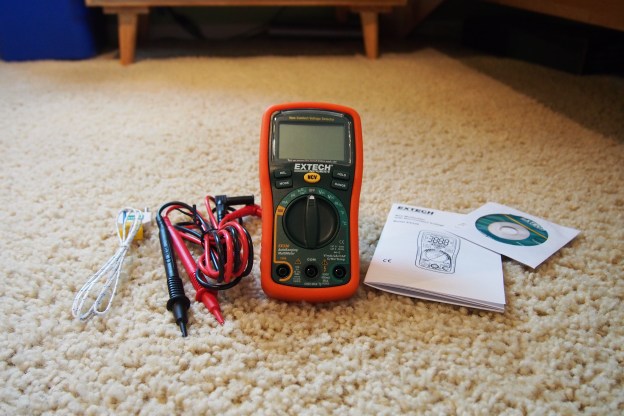
I Guess I’ve Never Owned a Nice Multimeter! – Extech EX330

Recently I received a new multimeter in the mail because my old $16 one is extremely lacking in the features I need. The reason I chose it is because it could measure 3 things my old one could not measure*:

  • Frequency (Hz)
  • Temperature
  • Amperage

Believe it or not, my old multimeter could not measure amperage. At least not well. It was a clamp multimeter, and you would need a lot of current to be flowing through the cable for the amperage to register on the display. It was not very practical. Another nice feature my new multimeter has it a non-contact voltage detector. This is good to test if a wire is live without having to touch it. Just put the multimeter up to the wire and if it’s live it will beep. I’m really happy with this meter. It works great for my needs. It also has a good price for a mid-range meter $51.05.

If you want your own Extech EX330 Meter, Check it out on Amazon.

Or you can just see the instructions here

*This multimeter can do much more than just those three things, of course.
This post was not sponsored by Extech. :^)

My Dog Chasing My RC Car!
Today, I decided to get my RC car dirty in the backyard. I thought that it would be fun for me, but my dog (her name is Maisie) had an even better time chasing and attacking it. She was having so much fun, I had to take away the car before she had a heart attack chasing it. She would not stop! This is a little different for my blog, but it was fun to do!

Check out the video here: https://youtu.be/PLN5L_zoKkY

A New Piece of Equipment Joined the Family!

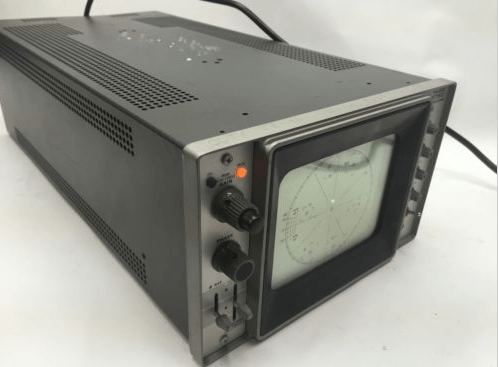
Recently, on Ebay I bought a “new” oscilloscope. If you are electronically inclined, you might have noticed that in the background of my website there is an oscilloscope (it is a Tektronix Type 503 vintage scope), so why would I need another one? This one is special. Some people refer to it as a “Vectorscope”. It is basically an oscilloscope where you can input a horizontal and vertical input. Doing this can turn it into a very basic TV. There is some special music made by talented individuals that when you play it back through an oscilloscope it will make a “video” on the screen of the scope. For this to work you need a oscilloscope that has both a horizontal and vertical input. My original oscilloscope can not do that. I have not gotten the scope in the mail yet, but it is coming and will be here soon.

P.S. If you want to check out some oscilloscope music, go to Jerobeam Fenderson’s Youtube channel. He is the most popular oscilloscope music creator. Link: https://www.youtube.com/user/jerobeamfenderson1

oscilloscope_music

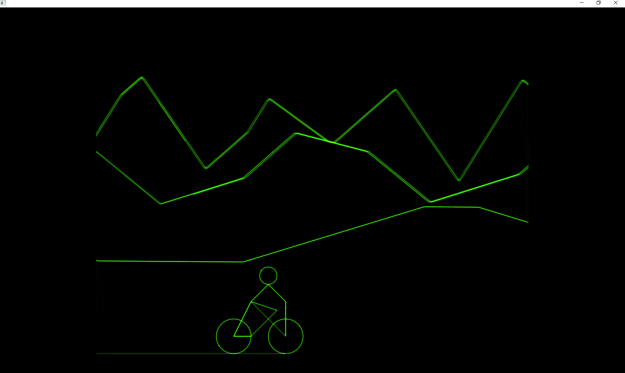
Oscilloscope music played through an oscilloscope emulator on my PC