Category Archives: Electronic Projects

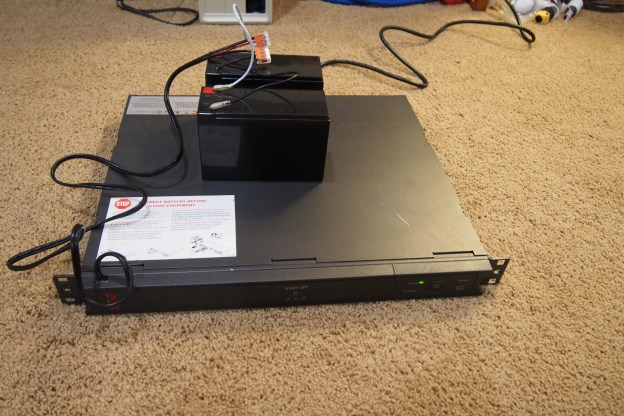
Uninterruptable Power Supply Modified

UPS Stands for Uninterruptable Power Supply, and as the name implies, they are uninterruptable. They are also called battery backups and are used for powering sensitive computer equipment in case of a power outage. They also regulate input voltage and protect against power surges.

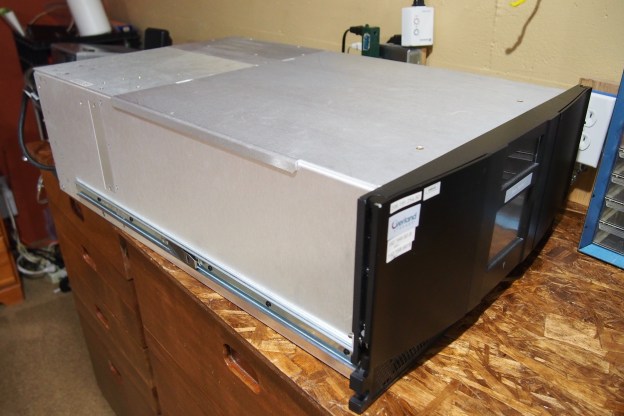
Battery backups come in many different sizes between the size of a small car (for large data centers) to something that looks like an oversized power strip (for your home computer). Mine is in the middle ground between giant and small, and it is rack-mountable (that’s why it’s so flat).

This one appeared in one of my first blog posts, and it takes two 6 volt lead acid batteries wired in series for twelve volts. This is where the problems start. You can find these battery backups for free because they just have a bad battery. Why? Because the manufacturer of these power supplies will put their logo on a standard battery and sell it for 10 times as much as it cost them to buy. If you get the information off these “inspected and approved” batteries you can usually find the exact same kind for much, much less. Most people don’t know this, so they find it more economical just to get a new battery backup. For me, a new battery pack authorized by APC would run me $200. That’s not going to happen, because if I bought both batteries on it would cost less than $40 dollars.

I’m not in desperate need of a UPS, but I would like to have mine working so it’s more than just a beeping paperweight. So, I decided to go and try to fix it with stuff I had laying around. I have two 12 volt lead acid batteries that I wired in parallel, not in series. If I wired them in series, I would get 24 volts out, which would fry the control board. In parallel, it increases the battery capacity but keeps the voltage at 12. So, with this setup, I was expecting to get a longer run time than with just the regular batteries.

I was a little afraid to power it up because the batteries might damage the power supply, but after I did, the “replace battery” light didn’t come on and everything functioned as it should. I’ll need to leave it plugged in for a few days to be sure everything works, so I’ll upload a new post if there’s a battery leakage or power supply burnout.

Catching Up: My First Server

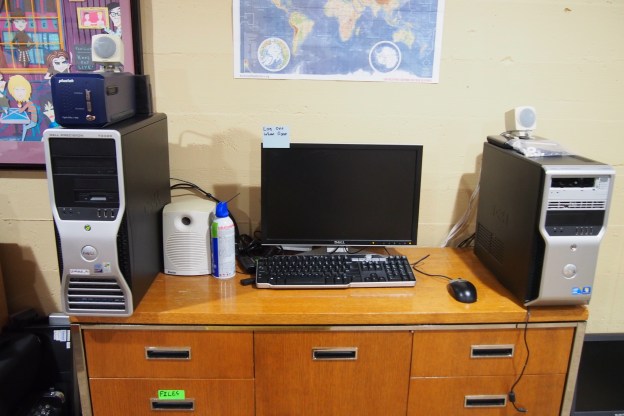
I created my first server in August 2018.  It’s a storage server that’s actually a desktop computer.  There are a few reasons I chose a Dell PC to one of my real rack-mount servers.

  1.  It’s Quiet: This might seem unimportant, but my other two servers sound like jet engines. I set this server up near the TV, and It’s on all day so having it be really loud would be an issue
  2. Disk Space: Although my Dell PowerEdge 2950 has many hard drives in it, it’s set up in a RAID configuration, meaning it really only makes use of one of the hard drives (read about RAID here).  My Dell PowerEdge 750 only holds one hard drive. Since this is a storage server, that wouldn’t work.  I chose this computer because it has six SATA (minus one because of the CD drive) ports.  That means I can put five hard drives in it!
  3. Automated Startup: The biggest issue with my real servers is they take lots of power and are made to be on all the time.  Most computers have an automated startup build in to the processor, but real servers don’t have that.  This computer did, meaning I could have it off at night.
  4. Floppy Disks! This computer has a floppy disk drive connector, and I like floppy disks.

The server (/computer) only had two spots to store a hard drive, so I had to squeeze them in wherever.  One is above the floppy disk drive, and one is zip-tied to the back of the computer.  It worked pretty well though.

I used task scheduler to give the computer an automated shutdown, and I also created another task that would run when the computer started up.  This task was for running a little program I wrote that would log every time the computer turned on.  The shutdown program I wrote also had a log (for shutdowns), just it was a bit more complicated because it also had to shut down the computer.

Motor + PA Amplifier= Speaker?

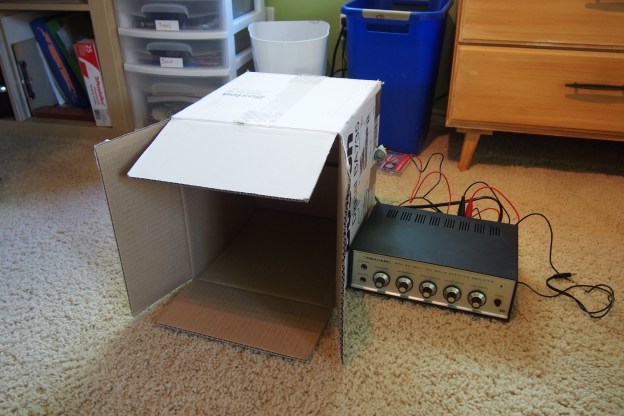
I just did a quick experiment where I attached a DC motor to a cardboard box and then hooked the motor to a PA amplifier. Just turn the volume way up, and see what happens!

Here’s what I used:

  •  A DC motor (very common)
  •  A cardboard box (also very common)
  • A PA amplifier with a 4Ω speaker output*

Simply hook the 4Ω and common outputs on your PA amplifier to the inputs on the motor. Poke holes in the box and put a zip-tie through them. Use this to hold the motor to the box. That’s it! Just turn the volume way up and hook up some kind of audio playback device.

To see this in action, I made a video

*To substitute for a 4Ω speaker output, put a 4Ω resistor in line with the motor.

The Tape Library Salvage Score!

A while ago I talked about a broken tape library I was going to salvage. In this post I will cover everything I got.

  • A very powerful ATX power supply.
  • Many fans.
  • A touch screen display.
  • 2 tape drives LTO4 and LTO3 (the LTO3 drive is bad).
  • A cleaning tape (it was stuck in the LTO3 drive).
  • The tape library assembly (stepper motors, lasers, gears, solenoids, and much more!)


Christmas Printer Salvage

For a “Christmas Present”, I got an outdated and somewhat broken HP Deskjet 520 for salvage. What I ended up with was a brushed DC motor, a stepper motor, a few circuit boards, 2 very nice steel rods, and the printer’s power supply (~10-0-10).

P.S. Merry Christmas!

P.P.S I know I’m posting this after Christmas.


PoE Switches

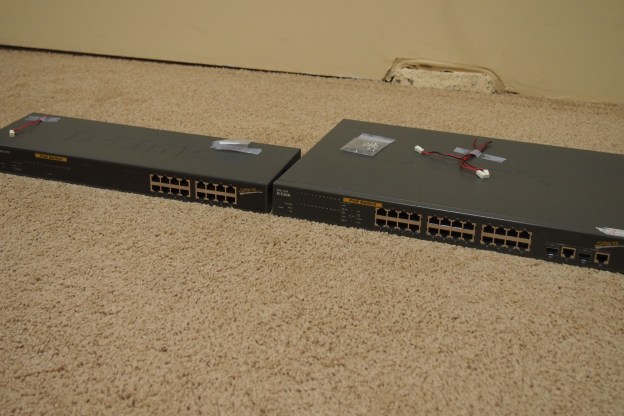
I got two old power over Ethernet (PoE) switches for free not too long ago. I have a small  16 -port switch, and a large 24-port switch. The problem with both of them is after running nonstop for 15 years the fans stopped working. An easy fix, just it’s a real pain waiting for new fans to ship from China. The large one basically has the same problem, but I heard that it had problems with the actual Ethernet switch part. If it’s not something the reset button can fix it might have to go in the salvage bin. I will give you an update once the fans come and I put then in the switch. In case you were wondering they are not gigabit switches, but they should be fast enough for me.