Category Archives: Equipment

Uninterruptable Power Supply Modified

UPS Stands for Uninterruptable Power Supply, and as the name implies, they are uninterruptable. They are also called battery backups and are used for powering sensitive computer equipment in case of a power outage. They also regulate input voltage and protect against power surges.

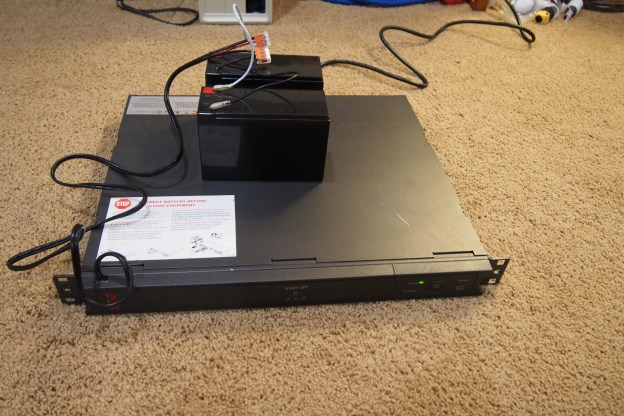
Battery backups come in many different sizes between the size of a small car (for large data centers) to something that looks like an oversized power strip (for your home computer). Mine is in the middle ground between giant and small, and it is rack-mountable (that’s why it’s so flat).

This one appeared in one of my first blog posts, and it takes two 6 volt lead acid batteries wired in series for twelve volts. This is where the problems start. You can find these battery backups for free because they just have a bad battery. Why? Because the manufacturer of these power supplies will put their logo on a standard battery and sell it for 10 times as much as it cost them to buy. If you get the information off these “inspected and approved” batteries you can usually find the exact same kind for much, much less. Most people don’t know this, so they find it more economical just to get a new battery backup. For me, a new battery pack authorized by APC would run me $200. That’s not going to happen, because if I bought both batteries on it would cost less than $40 dollars.

I’m not in desperate need of a UPS, but I would like to have mine working so it’s more than just a beeping paperweight. So, I decided to go and try to fix it with stuff I had laying around. I have two 12 volt lead acid batteries that I wired in parallel, not in series. If I wired them in series, I would get 24 volts out, which would fry the control board. In parallel, it increases the battery capacity but keeps the voltage at 12. So, with this setup, I was expecting to get a longer run time than with just the regular batteries.

I was a little afraid to power it up because the batteries might damage the power supply, but after I did, the “replace battery” light didn’t come on and everything functioned as it should. I’ll need to leave it plugged in for a few days to be sure everything works, so I’ll upload a new post if there’s a battery leakage or power supply burnout.

I Guess I’ve Never Owned a Nice Multimeter! – Extech EX330

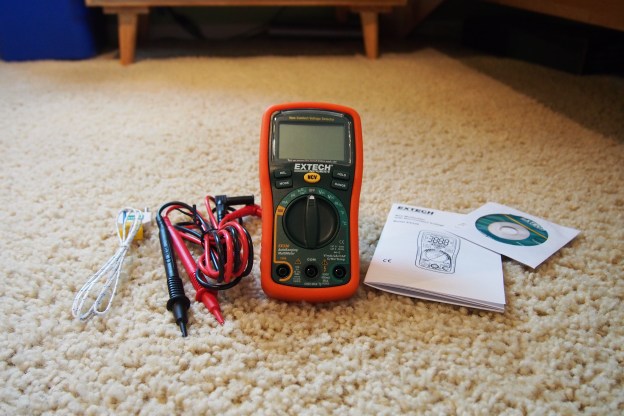
Recently I received a new multimeter in the mail because my old $16 one is extremely lacking in the features I need. The reason I chose it is because it could measure 3 things my old one could not measure*:

  • Frequency (Hz)
  • Temperature
  • Amperage

Believe it or not, my old multimeter could not measure amperage. At least not well. It was a clamp multimeter, and you would need a lot of current to be flowing through the cable for the amperage to register on the display. It was not very practical. Another nice feature my new multimeter has it a non-contact voltage detector. This is good to test if a wire is live without having to touch it. Just put the multimeter up to the wire and if it’s live it will beep. I’m really happy with this meter. It works great for my needs. It also has a good price for a mid-range meter $51.05.

If you want your own Extech EX330 Meter, Check it out on Amazon.

Or you can just see the instructions here

*This multimeter can do much more than just those three things, of course.
This post was not sponsored by Extech. :^)

A New Piece of Equipment Joined the Family!

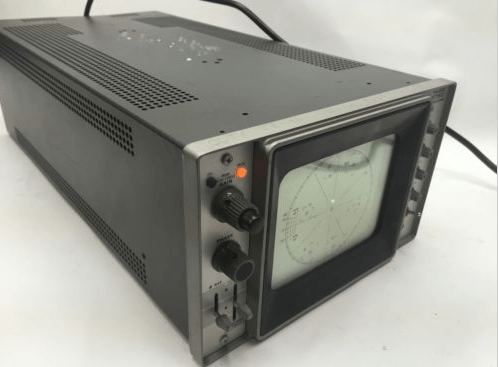
Recently, on Ebay I bought a “new” oscilloscope. If you are electronically inclined, you might have noticed that in the background of my website there is an oscilloscope (it is a Tektronix Type 503 vintage scope), so why would I need another one? This one is special. Some people refer to it as a “Vectorscope”. It is basically an oscilloscope where you can input a horizontal and vertical input. Doing this can turn it into a very basic TV. There is some special music made by talented individuals that when you play it back through an oscilloscope it will make a “video” on the screen of the scope. For this to work you need a oscilloscope that has both a horizontal and vertical input. My original oscilloscope can not do that. I have not gotten the scope in the mail yet, but it is coming and will be here soon.

P.S. If you want to check out some oscilloscope music, go to Jerobeam Fenderson’s Youtube channel. He is the most popular oscilloscope music creator. Link: https://www.youtube.com/user/jerobeamfenderson1

oscilloscope_music

Oscilloscope music played through an oscilloscope emulator on my PC


My “New” Server: a Dell PowerEdge 750.

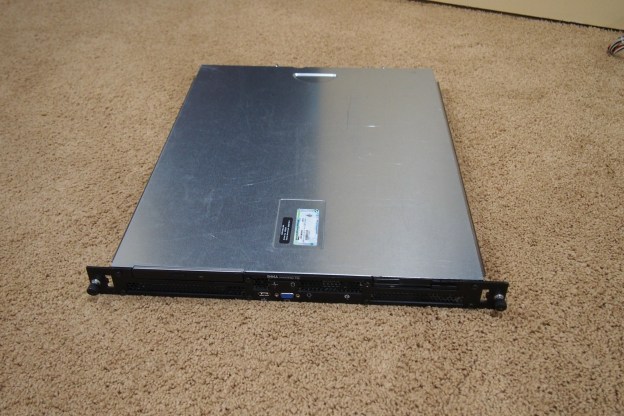
I recently saved another piece of equipment from electronic recycling. It is a Dell PowerEdge 750 server. It came with windows server 2003, but since it used to be on a domain, I could not sign in or do anything. It needed a new OS. The issue is that it has a 32 bit processor and all the windows server operating systems past windows server 2008 are 64 bit only. So the hunt for a new OS begins. I can take windows server 2003 off the list right away since you can’t even download it anymore, and windows server 2008 was equally as hard to find. Luckily there was a “Windows Server 2008 32-bit DEMO” on the Microsoft website. They also had free product keys for these outdated systems so I was able to install it on this server and it finally worked.

P.S. Sorry about some of the pictures being low-quality. My camera’s battery died and I had to use my phone.